Volume Manager
Control every tab’s volume independently.
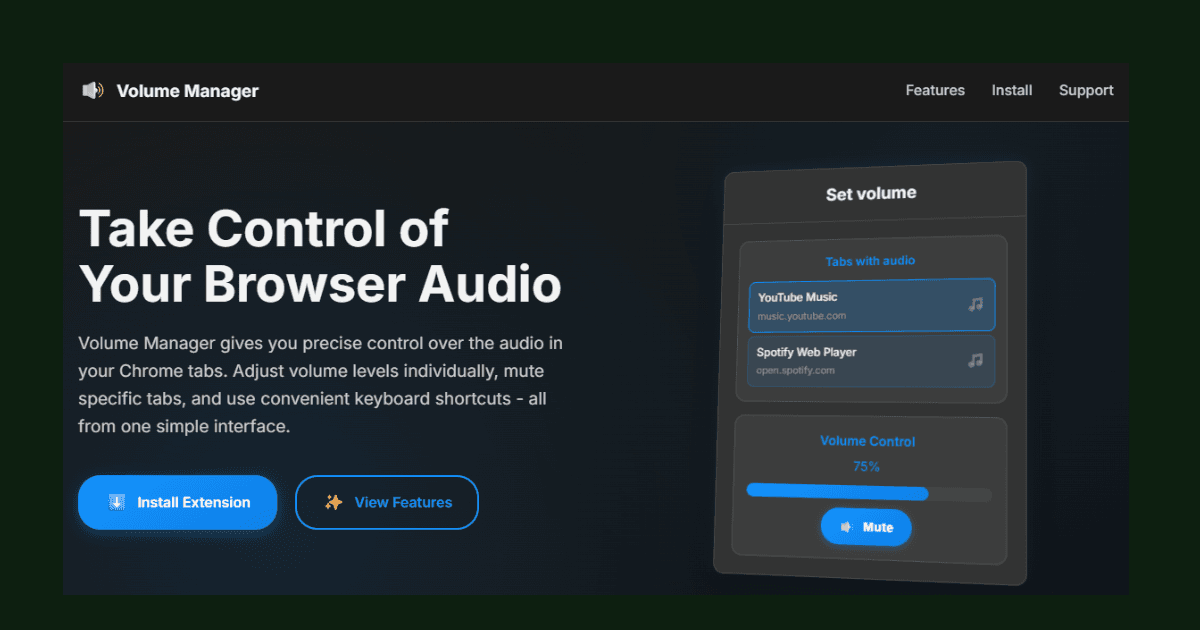
Volume Manager is a lightweight Chrome MV3 extension that solves a common frustration: browser tabs all play at the same system volume. It detects which tabs are playing audio, lets you set each tab's volume from 0% to 100%, and offers global keyboard shortcuts for quick mute toggling and volume adjustments — all with zero data collection.
Key Features
Per-Tab Volume Control
Set the volume of each audio-playing tab independently with a precise slider (0–100%).
Keyboard Shortcuts
Ctrl+M to mute/unmute, Ctrl+Shift+↑ to raise volume, Ctrl+Shift+↓ to lower volume — without opening the popup.
Audio Tab Detection
Automatically detects and lists only the tabs currently playing audio, keeping the UI clean.
Instant Mute Toggle
One-click mute button per tab for quickly silencing a tab without losing its volume setting.
Privacy First
No analytics, no tracking, no data collection of any kind. All processing is local to the browser.
Lightweight
Built with vanilla JavaScript and zero external dependencies for minimal memory footprint.